Workspaces
Stay oriented as projects multiply
Company › Workspace › Project. Group projects by team or client and see each workspace's progress on one screen.
01
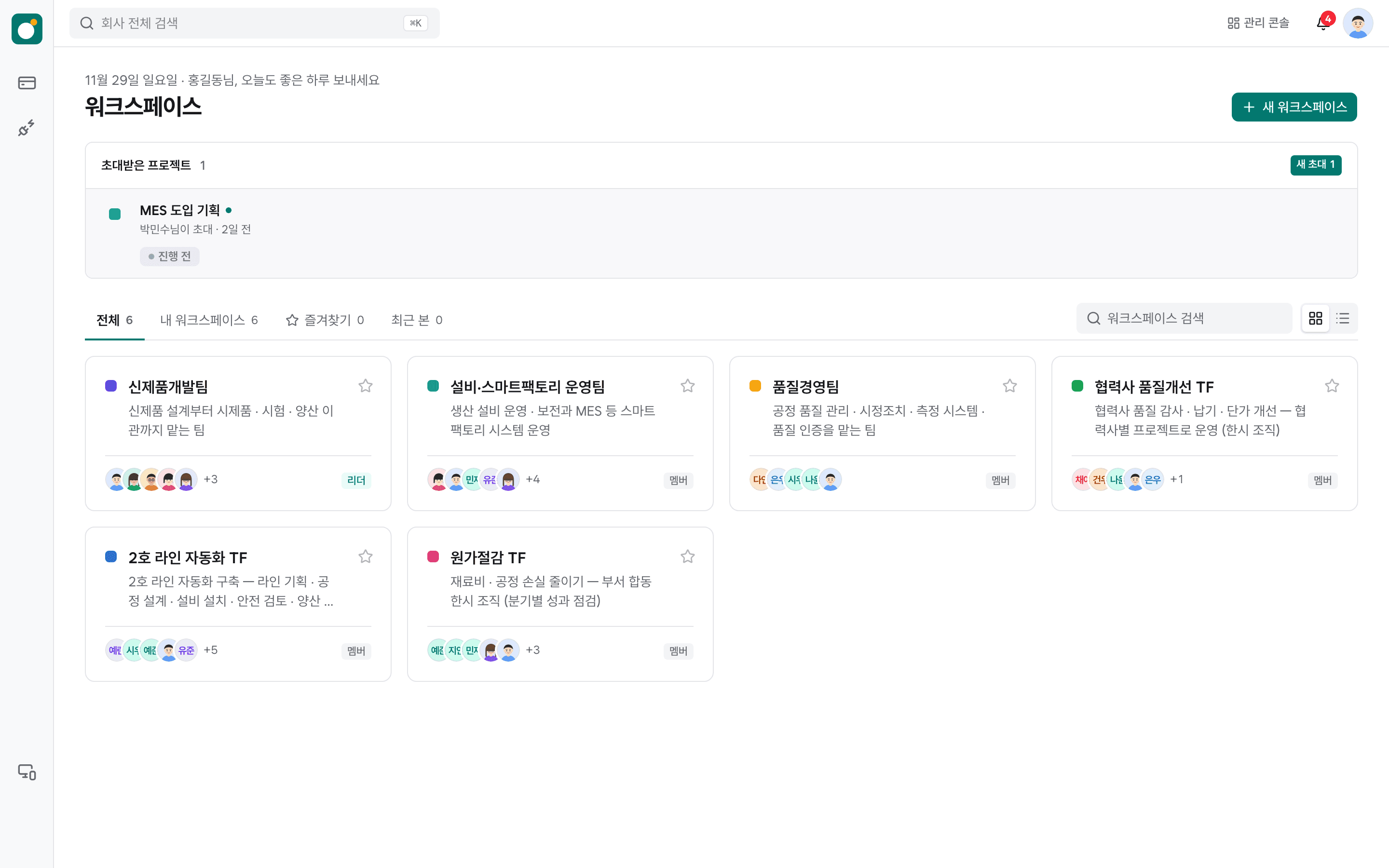
Workspace list
The first screen after you sign in. Every team gets a card showing its intro, members and your role, and projects you've been invited to are gathered at the top.
- All · My workspaces · Favorites · Recently viewed tabs
- Search workspaces by name
- Card or list view (remembers your choice)
- Star workspaces as personal favorites
02
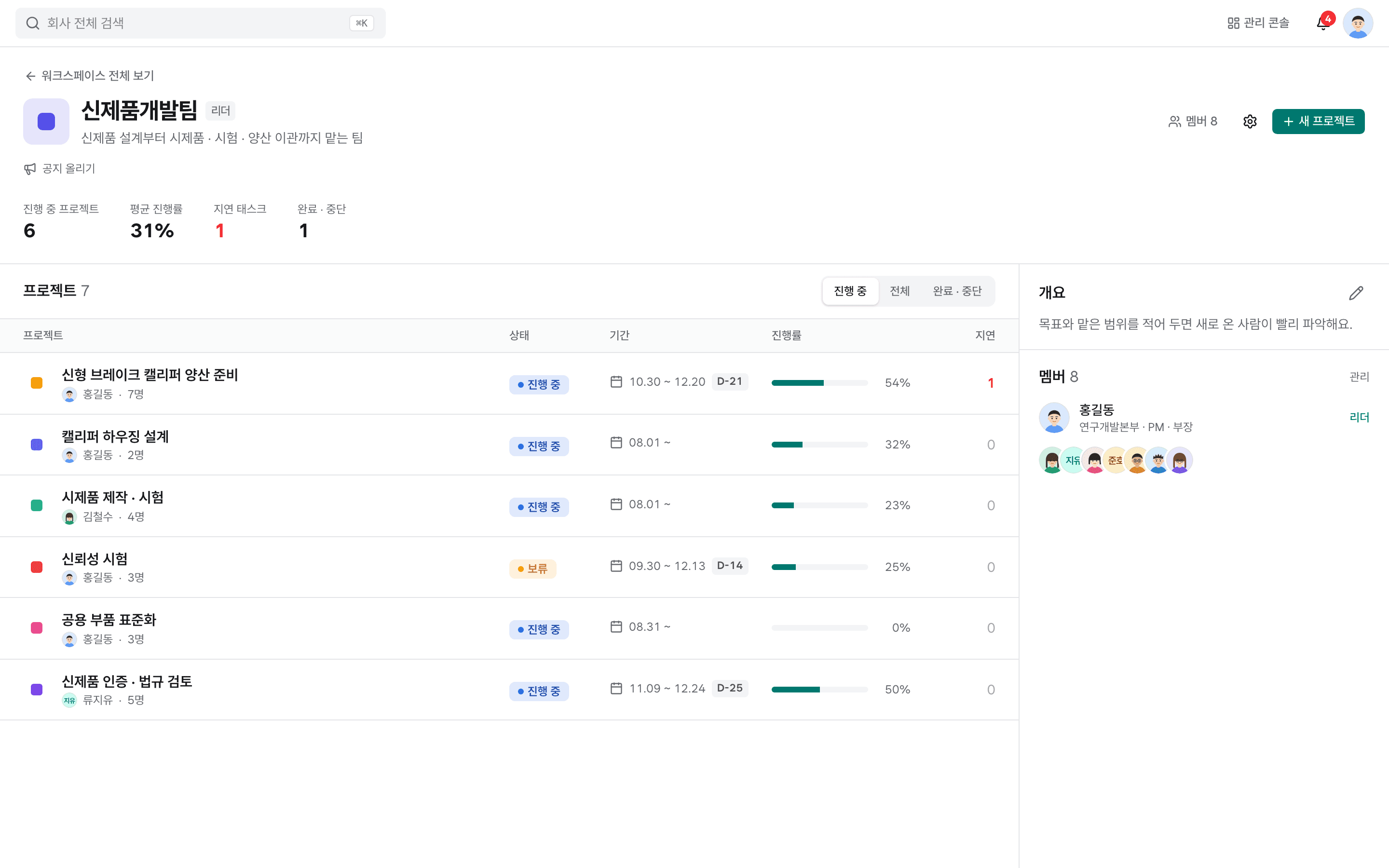
Workspace home
Team intro and notices, key numbers and a table of projects. Workspace leaders can spot which project is slipping from this screen alone.
- Active projects · average progress · overdue tasks · completed
- Status, dates, progress and delays for every project
- Leaders manage the overview, members and notices
Also included
Project permissions stay put
A workspace is just a grouping — project visibility and permissions don't change.
Workspace leaders
Leaders manage the name, intro, notices and members.
Move projects in anytime
Existing projects can move into a workspace. Their URLs don't change, so links keep working.
Let's see if it fits your team
Dotwork is free. Tell us about your team and we'll set it up for you at no cost.