Task management
One set of tasks, three views that fit how you work
Planners use the mind map for structure, doers use Kanban for status, PMs use Gantt for schedules. Change something in one view and every view updates.
01
Mind map — shape the structure
Put the project in the middle and break big work into smaller tasks. Drop one card onto another to make it a subtask.
- Progress, assignees and days left on every card
- Collapse and expand branches, with a minimap for orientation
- Add new tasks straight from the project node
02
Kanban — manage status
Four columns: To do, In progress, Done, On hold. Drag a card to another column to change its status — everyone sees it instantly.
- Parent path, progress, comment count and D-day on each card
- Add tasks right at the bottom of a column
03
Gantt — dates and dependencies
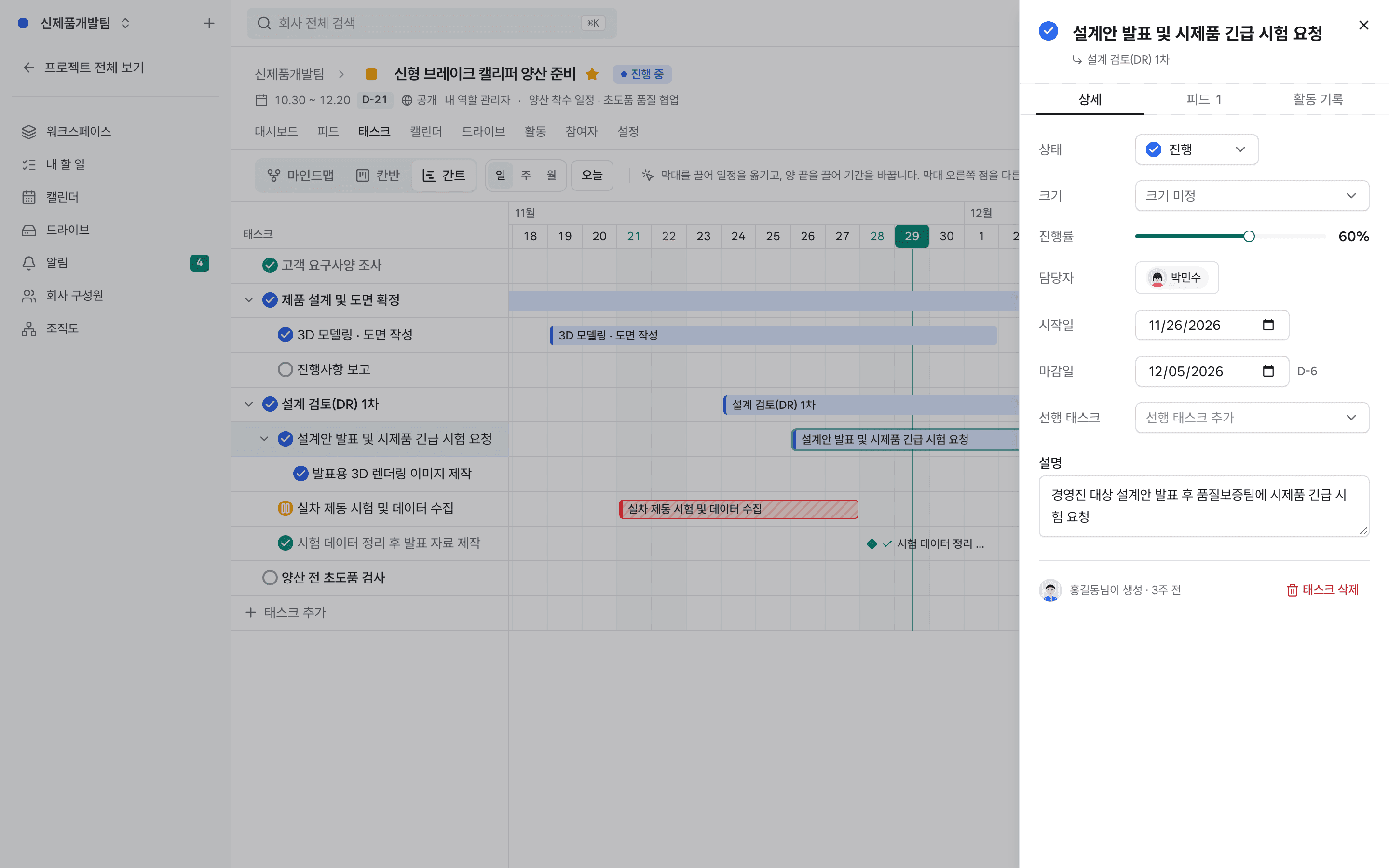
Drag a bar to move it, drag its ends to change the duration. Connect the dot at a bar's end to another bar to create a dependency.
- Zoom by day, week or month
- Arrows show tasks that must finish before others start
- Drag across an undated row to set its dates
- Overdue tasks are highlighted with stripes
04
Task details
Click a task in any view to open its details on the right: status, size, progress, assignees, dates and predecessors in one place.
- Size (XS–XL) sets the amount of work used for workload
- Assign multiple people
- Details, Feed and Activity tabs keep the full change history
Also included
Reasons for delays
Pushing a deadline back asks for a reason — no matter which screen you change it from.
Open or managed
Choose per project whether anyone can create tasks or only PMs and admins.
Tasks that keep slipping
The dashboard collects tasks whose deadlines are postponed again and again.
Let's see if it fits your team
Dotwork is free. Tell us about your team and we'll set it up for you at no cost.