Members · Workload
Who's busy, who has room — PMs decide with real data
Workload is measured by task size, not task count. Work from other projects and time off are included, so the truly overloaded people show up first.
01
Load per member
See how busy each person is over the project period as a load percentage. Bars split this project's work from other projects.
- Average load, overloaded, available and upcoming time off at the top
- Color-coded: available (under 80%) · balanced · overloaded (over 100%)
- Skill tags, number of projects led and upcoming time off
- Load is visible only to PMs and project admins
02
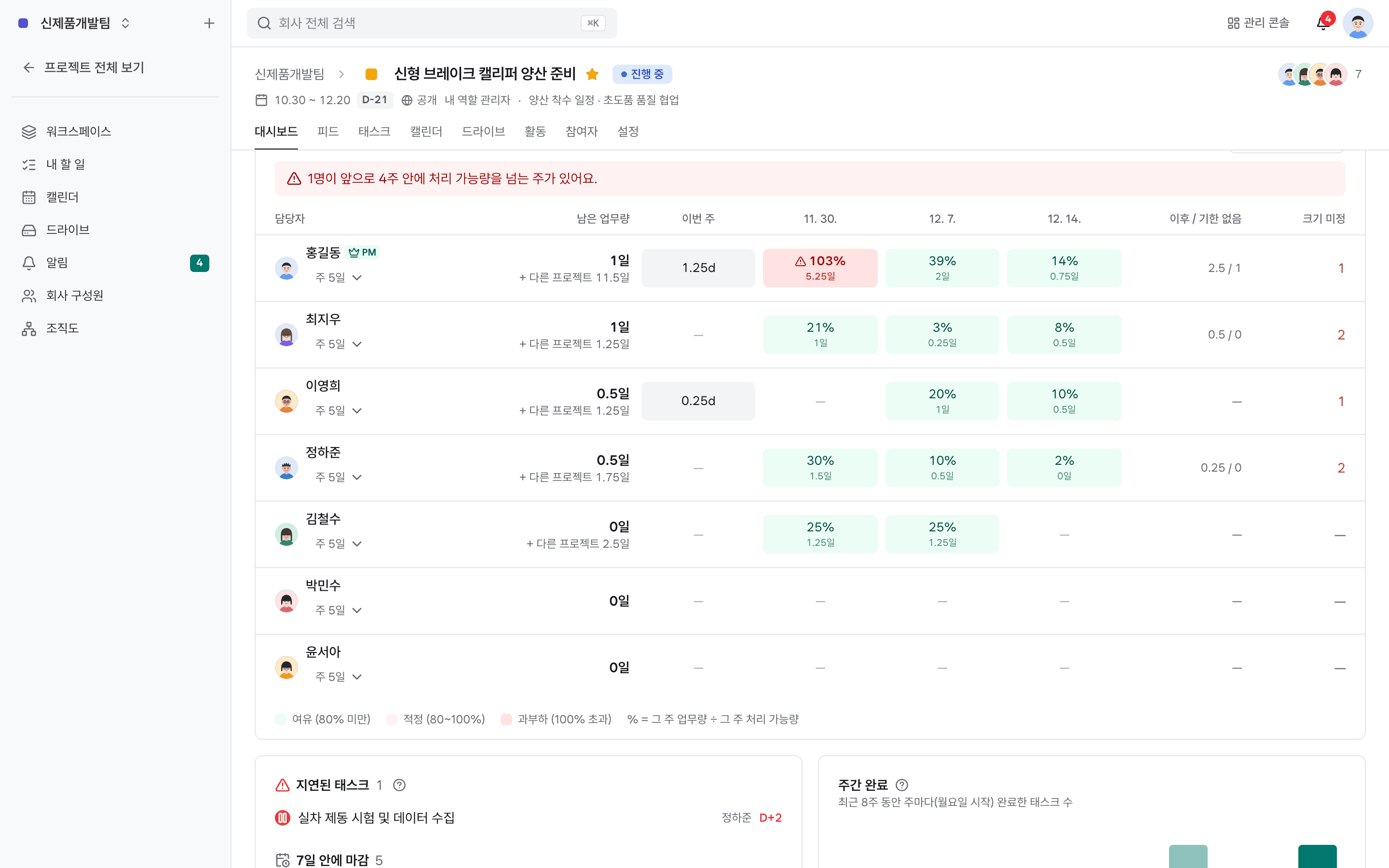
Workload heatmap
Rows are people, columns are this week and the next three. Each cell is colored by that week's load, so crunch weeks stand out.
- Task size (XS–XL) converted into days of work
- Includes the same person's work in other projects
- Weeks with time off or half days have reduced capacity
03
Click a cell to rebalance
Click an overloaded cell to see that week's tasks and reassign them on the spot — with a preview of how the new assignee's load changes.
04
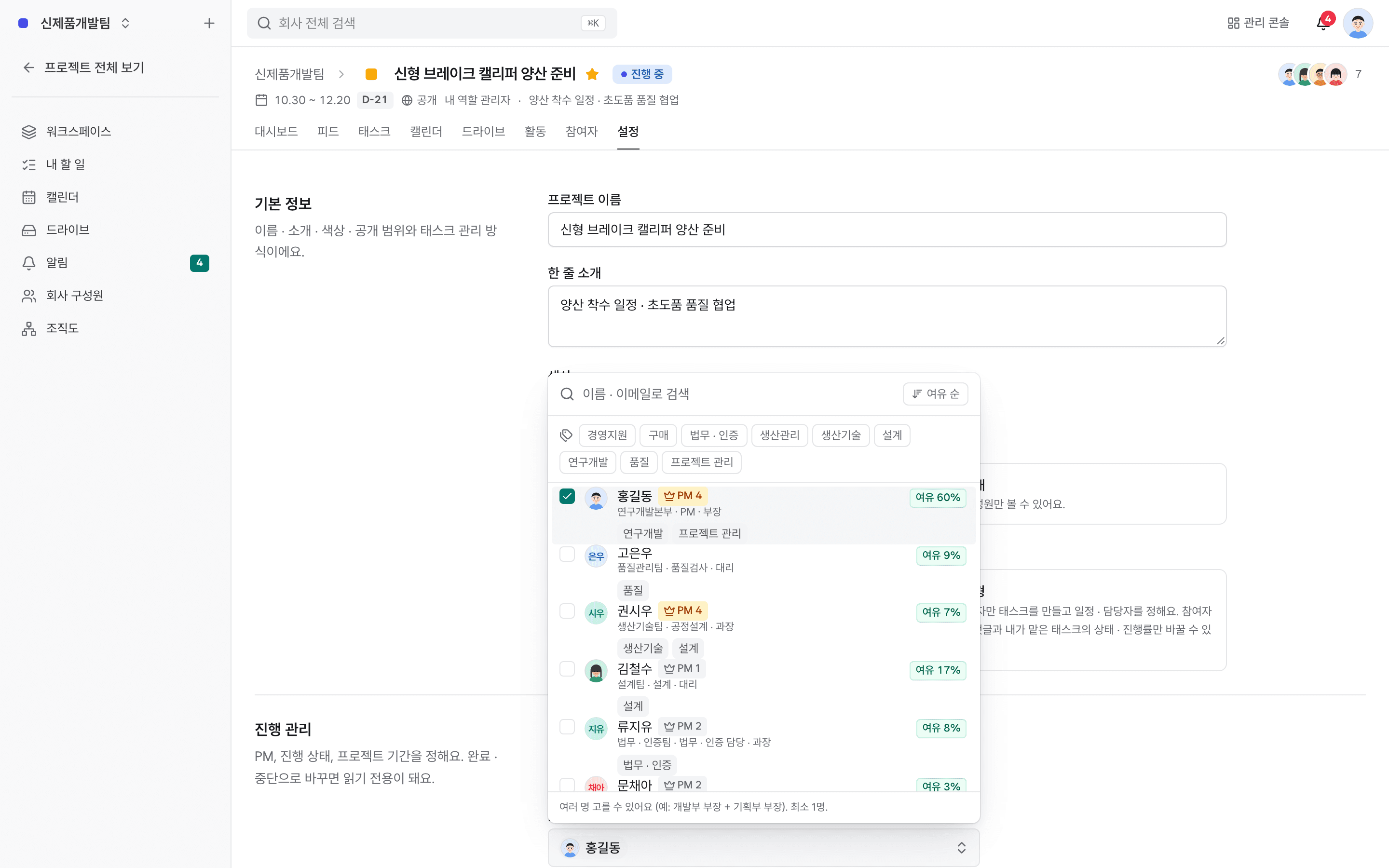
Choosing PMs and members
When creating a project or adding people, each candidate shows their skills and availability for that period. Sort by availability and filter by skill.
- Assign multiple PMs (e.g. engineering lead + planning lead)
- Orange warning for people already leading many projects
05
Project dashboard
Compares overall progress with elapsed time to tell you instantly whether you're ahead or behind. Just open it before the weekly meeting.
- Key numbers · status breakdown · overdue · due in 7 days
- Weekly completion trend and tasks that keep slipping
- CSV (Excel) export · print to PDF
- See exactly how numbers are calculated in 'How it's calculated'
06
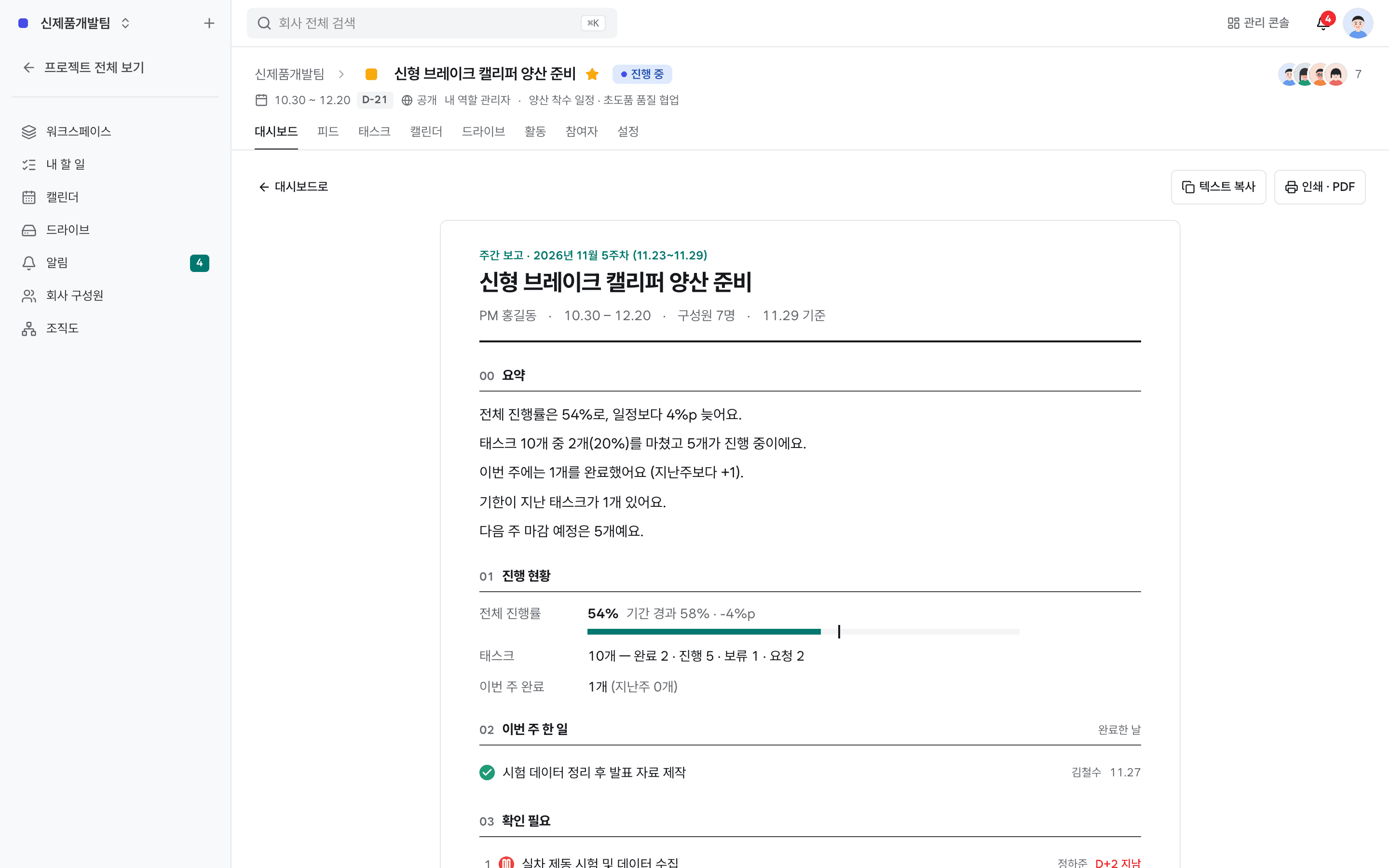
Automatic weekly report
Click 'Weekly report' on the dashboard and this week's summary, progress, completed work, next week's tasks and per-person status are laid out as a report.
- 'Copy text' to paste straight into email or chat
- Print or save as PDF
- Same numbers as the dashboard — nothing to recalculate
Also included
HR/attendance integration
Vacation and leave flow in from your attendance system and reduce capacity automatically.
Evidence, not scores
People aren't scored. Dotwork shows load and schedules — the PM makes the call.
Invite by department
Pick a department from the org chart to add everyone at once.
Let's see if it fits your team
Dotwork is free. Tell us about your team and we'll set it up for you at no cost.