Org chart · Members
Your org chart as it is — invite whole departments
Manage departments and members on one screen. Find who does what in which department, and invite whole departments to projects at once.
01
Company org chart
Pick a department in the tree on the left to see only its people. Switch to chart view to see the whole company on one page.
- Department heads and multiple roles
- Search by name, department or title
- Switch between list and chart views
- Click a person to see their profile and invite them to a project
02
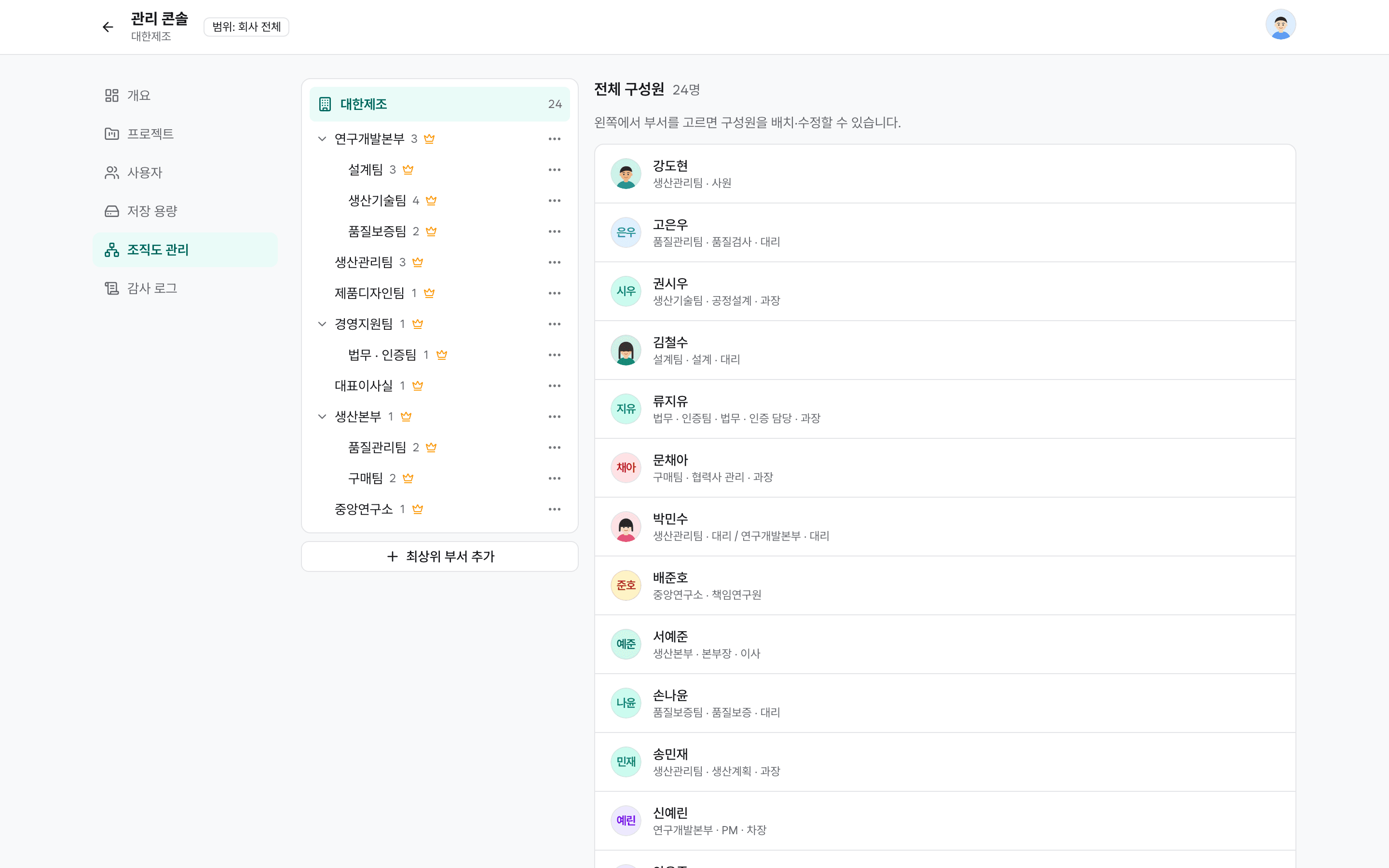
Org chart management (admin console)
Admins add and move departments and place members in the admin console. Department and title changes show up everywhere instantly.
- Add, rename and reorder departments
- Assign members to departments and set titles
- Changes are recorded in the audit log
03
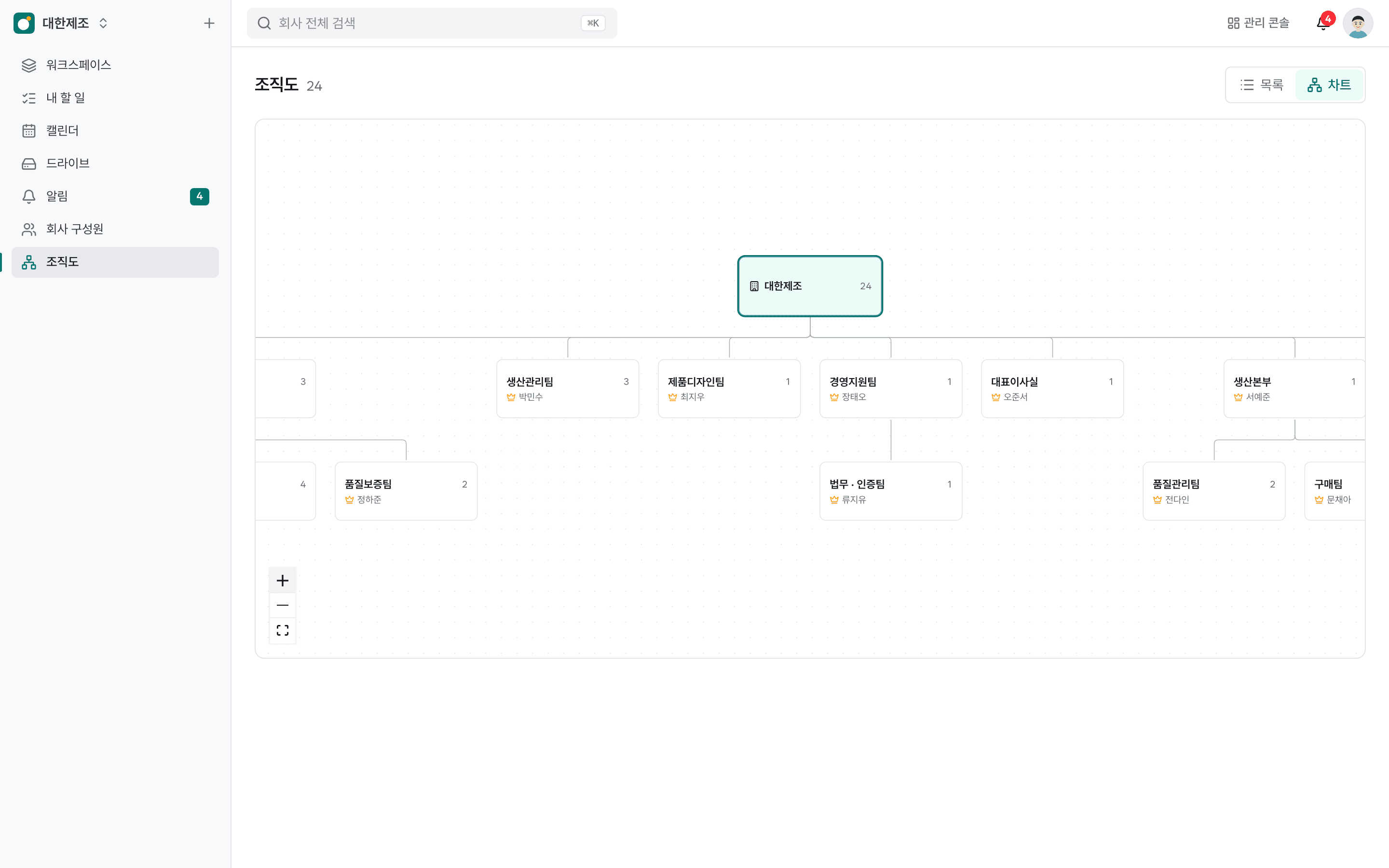
Company structure as a chart
A top-down tree from divisions to teams to parts. Zoom in and out to explore even a large organization.
Also included
Invite departments to projects
Choose a department when adding members to bring everyone in at once.
Titles come from the org chart
Admins set departments and titles in the org chart, and profiles update automatically.
External partners as guests
Partners outside your org chart only see the projects they're invited to.
Let's see if it fits your team
Dotwork is free. Tell us about your team and we'll set it up for you at no cost.